 bees
Orchestrate your coding agents
bees runs Claude Code agents on all of your projects at once. It merges their work after your build and tests pass, and it only stops to ask you when a decision is yours to make.
Get notified when it's ready · All platforms
Free. macOS 12 or later: desktop app and CLI, Apple silicon and Intel. Linux: CLI, TUI and MCP server, x86-64 and ARM64. Windows: in progress. Uses your own Claude subscription and beads.

Develop at the speed of thought
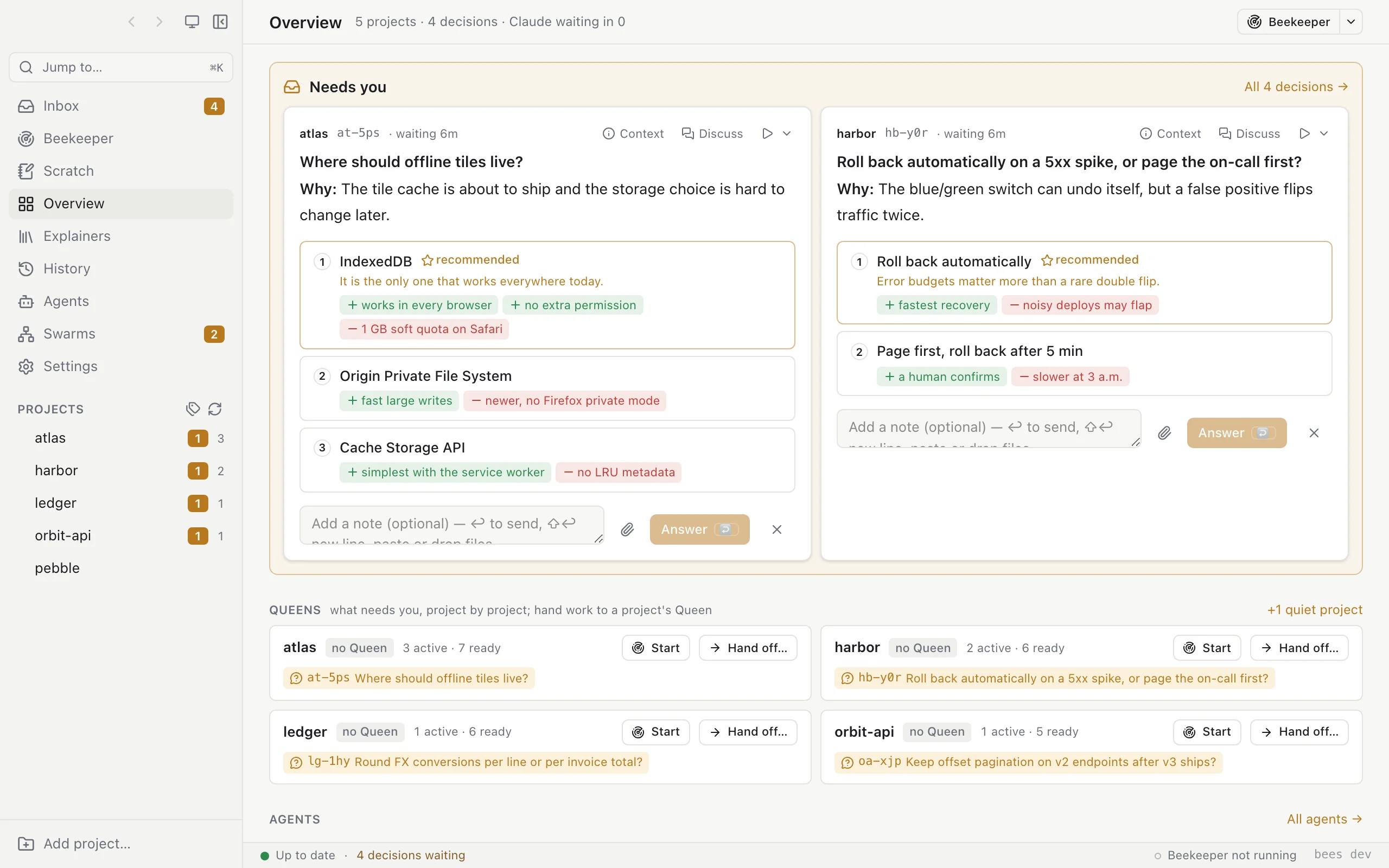
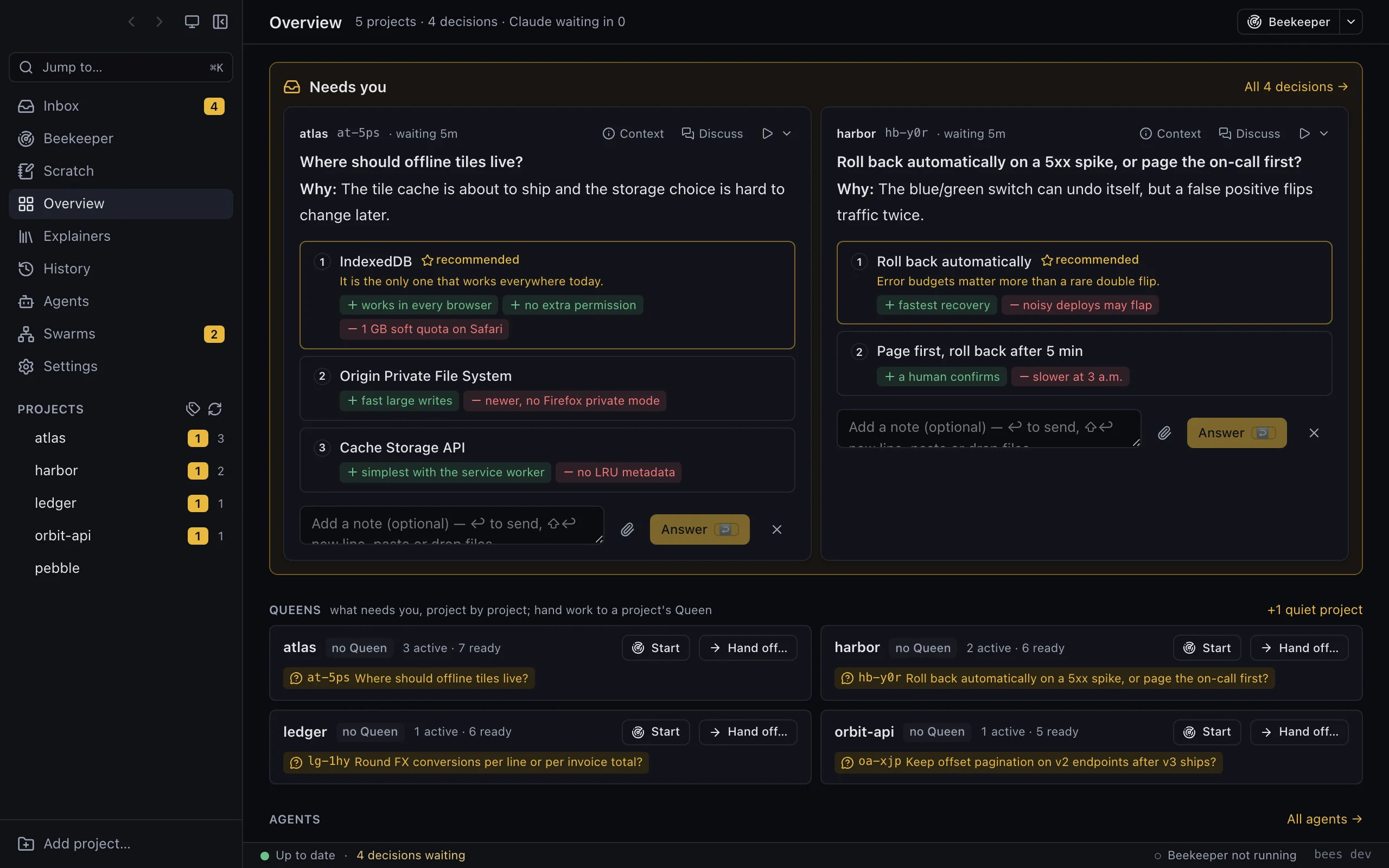
You decide what to build, and the bees build it. Describe the work and Claude breaks it into beads. bees keeps agents working on those beads in every repository, and you don't have to sit and watch a terminal.
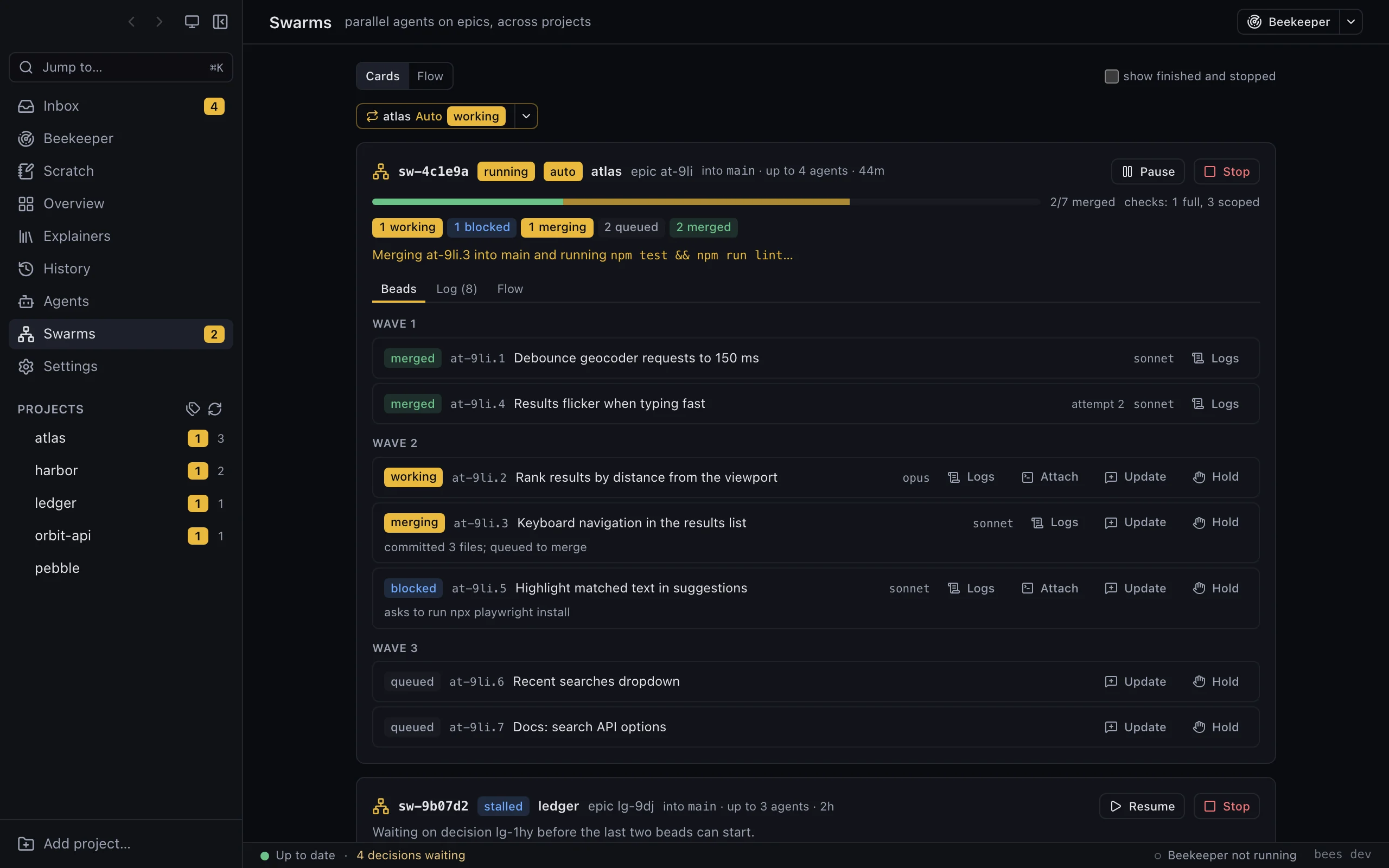
Agents build it, and bees merges it once the checks pass
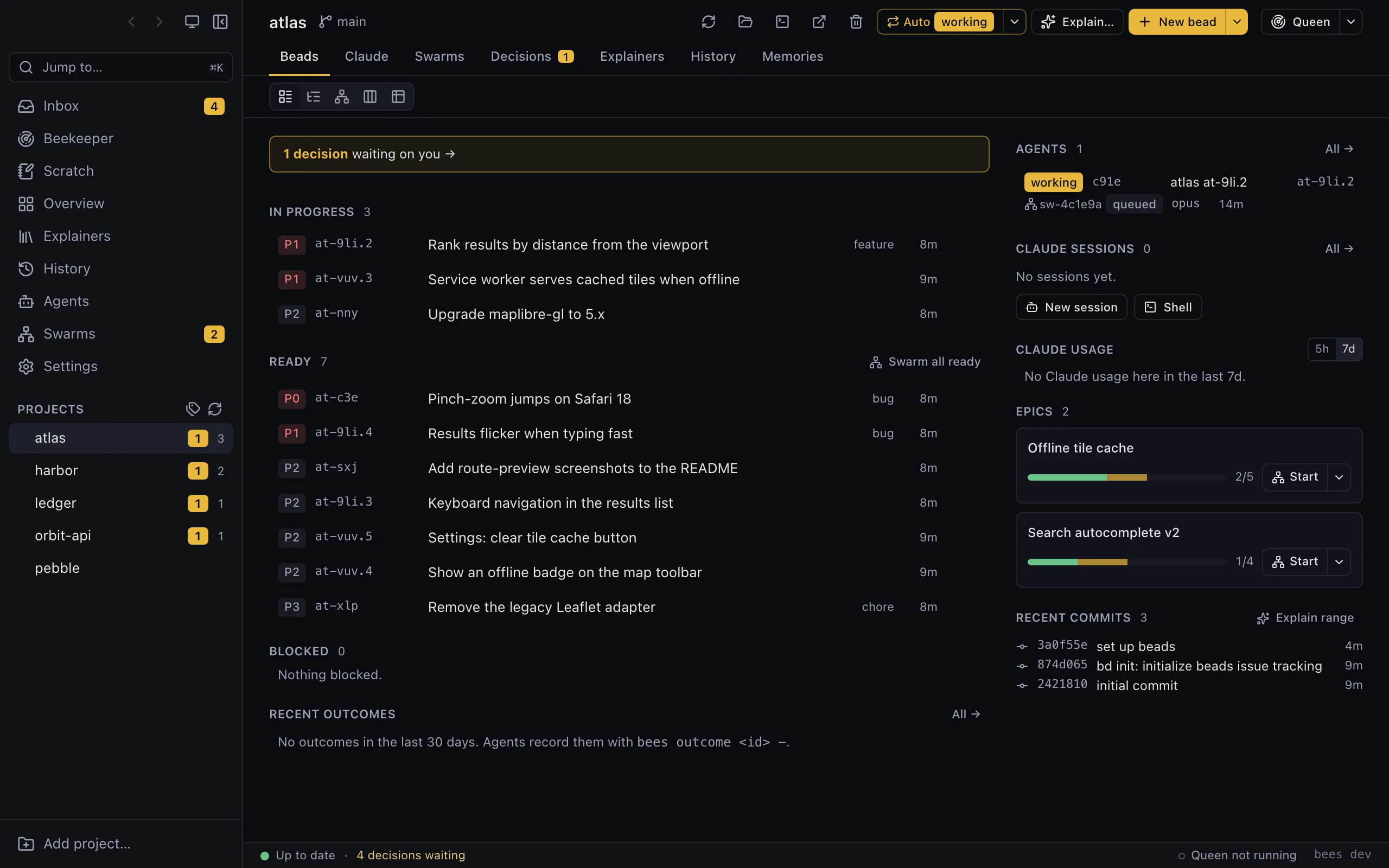
Start a swarm on an epic or on a few ready beads. Each agent takes one bead and works on it without getting in the others' way. As agents finish, bees merges their work one at a time, after your project's build and tests pass. If a merge conflicts or a test fails, a resolver agent sorts it out and you don't hear about it.
- A bead that depends on another waits until that one has landed
- Beads that touch the same files take turns
- Each agent gets its own ports and setup, so several copies of your app can run side by side
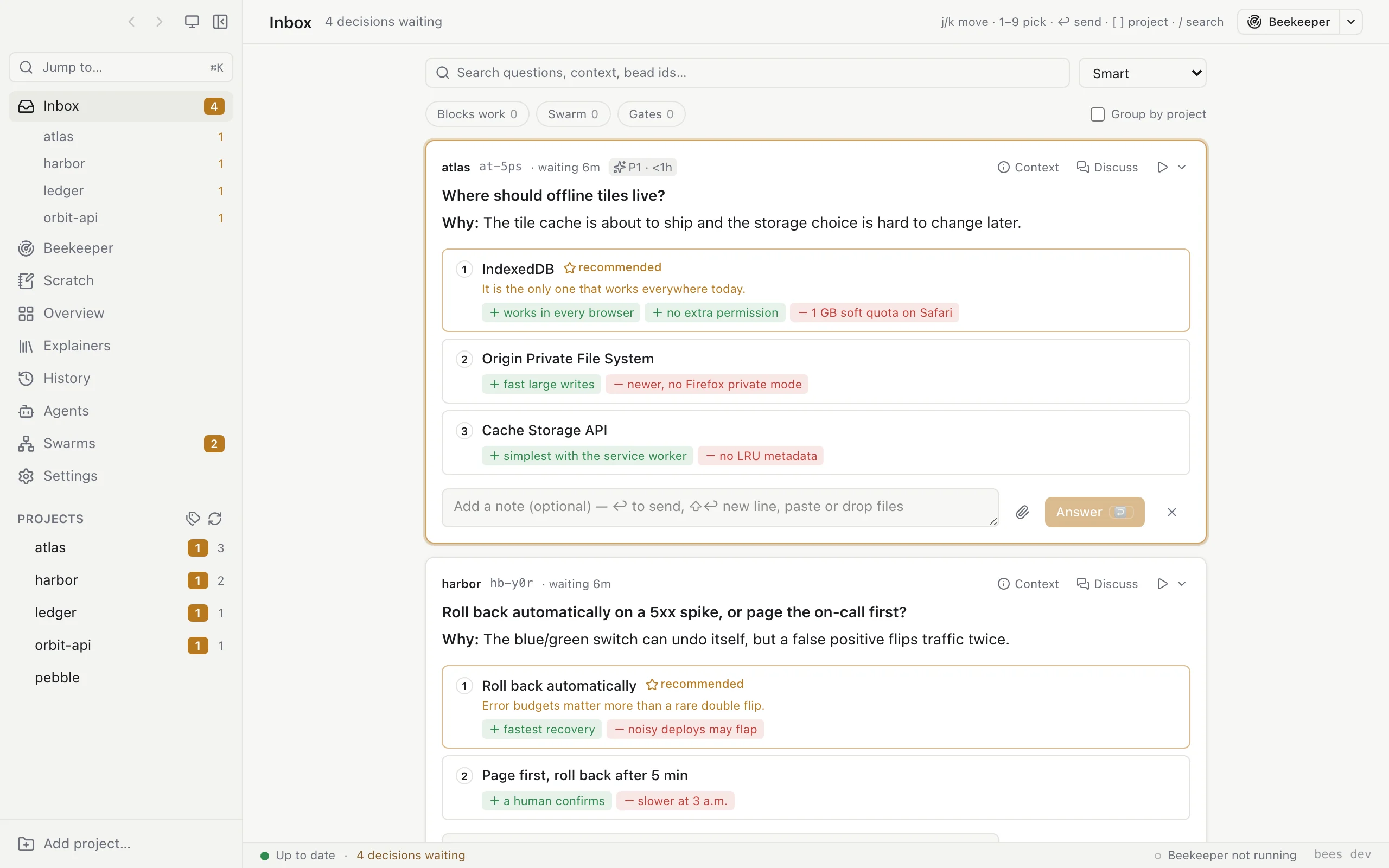
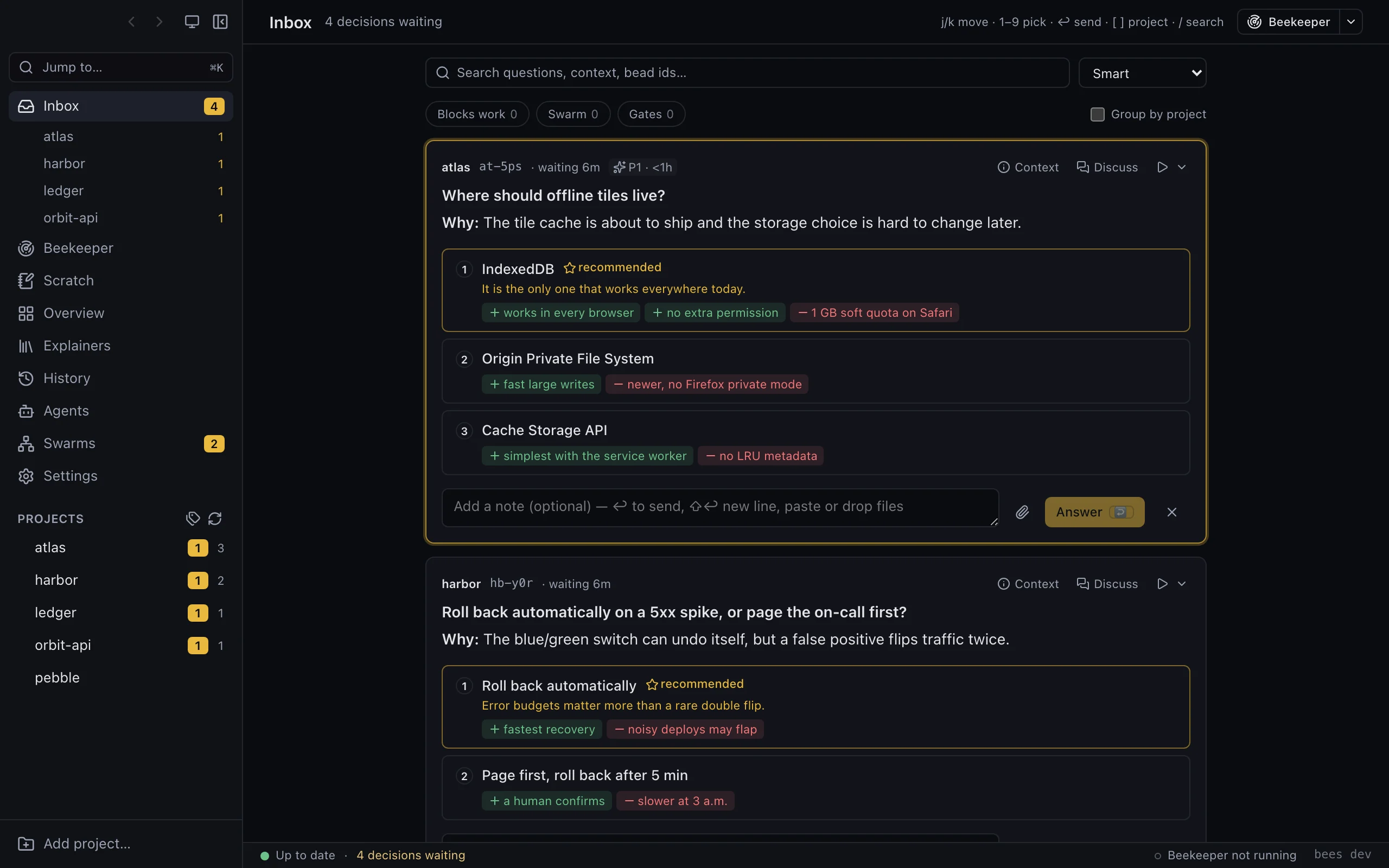
Every question comes to one inbox, and the work waits for you
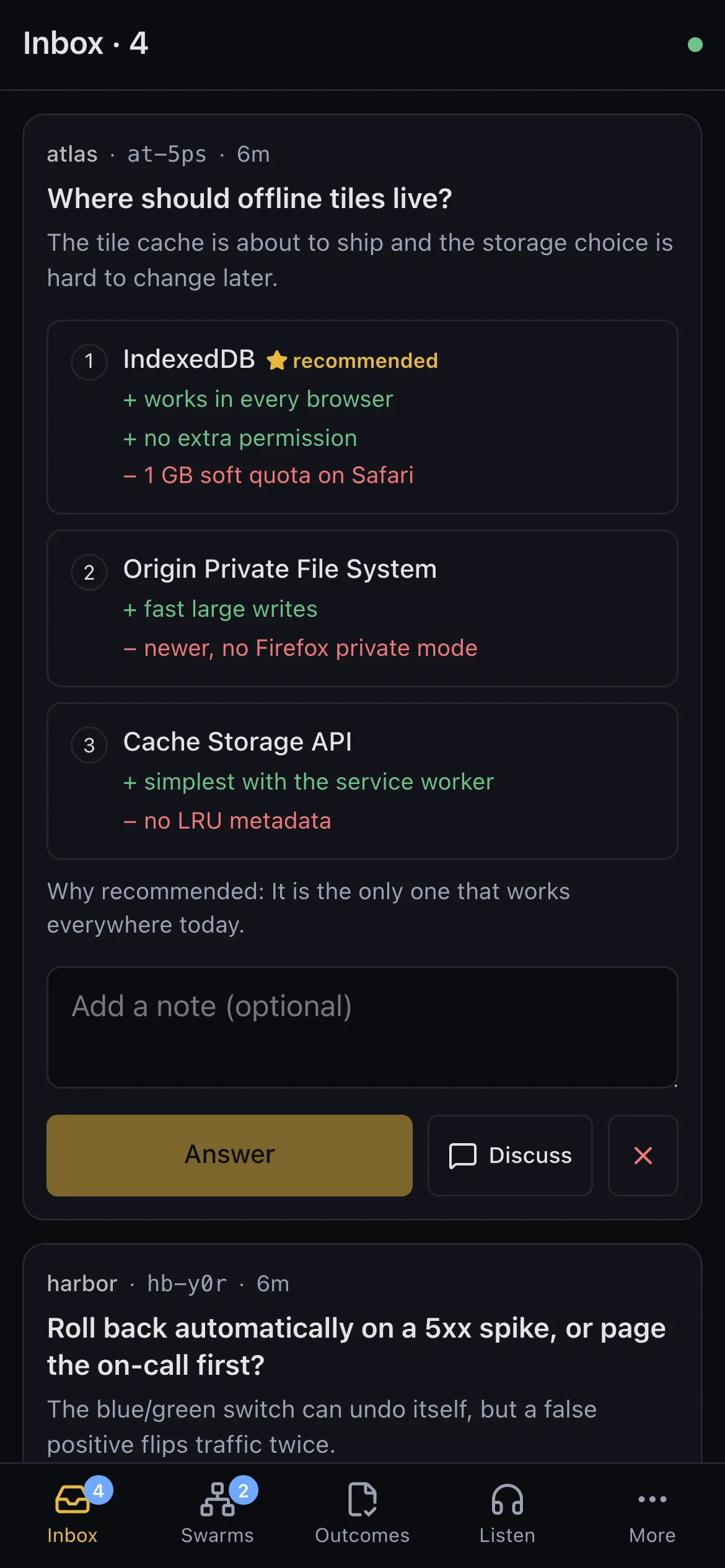
When an agent needs you to decide something, it files a decision with the options and the one it recommends, and its bead stays blocked until you answer. Answer in the app, on your phone or from the CLI, and the agent carries on from where it stopped.
- Every project's questions in one queue, with a badge on the app's icon
- A short note on what each option would mean
- You can talk a decision through with Claude before you answer
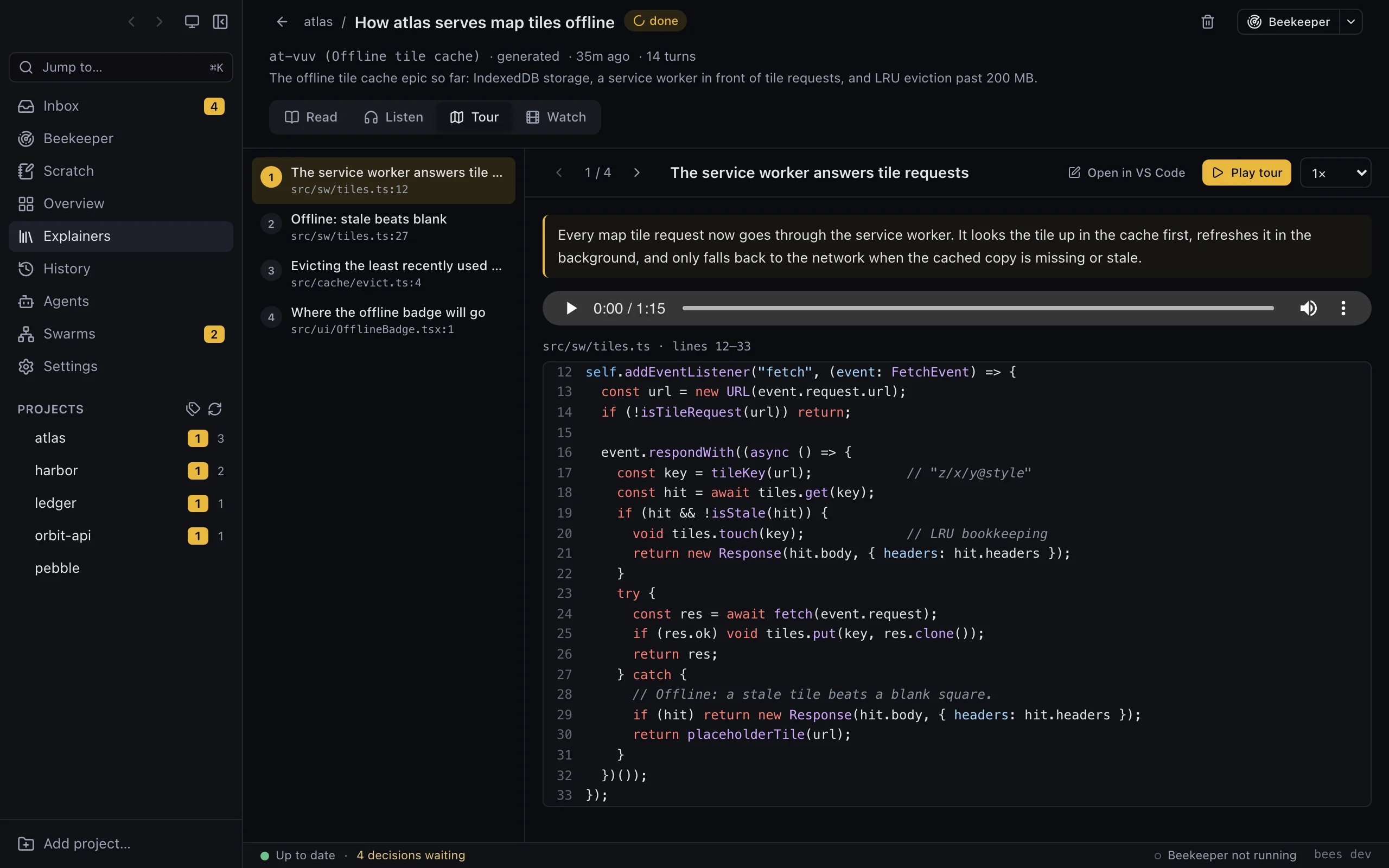
A Queen for each project, and the Beekeeper over all of them
Each project has a Queen, a Claude session that knows the project's beads, swarms and open decisions. Ask it to file new work or start a swarm and it does. The Beekeeper does the same for all of your projects together, so when you want to know what needs you today, there's one place to ask.
- Chat from the app or your phone
- Before either one changes anything, it asks for your approval in the inbox
Auto mode keeps a project moving while you're away
With auto mode on, bees starts new swarms by itself as beads become ready and earlier work lands. It keeps related work together and work on the same files apart. It stops when the project has nothing left to do or everything left is waiting on you, or when you turn it off. If your Claude usage runs high, it pauses.
- Exclusions and limits per project
- You get a notification when a project goes idle or finishes
Find out what your agents actually built
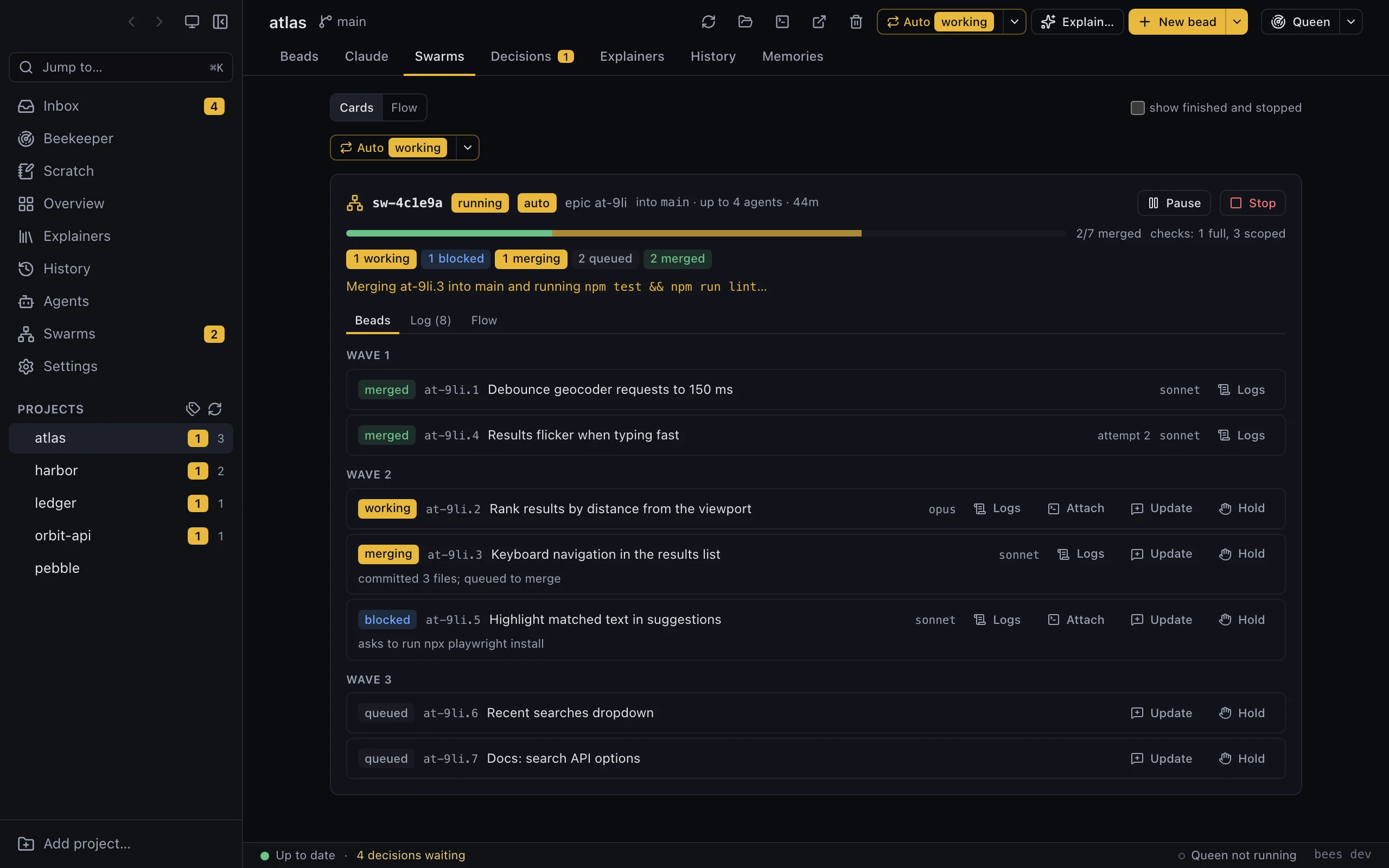
Agents write code faster than anyone can read it. Ask bees to explain a bead, a range of commits or a topic, and Claude writes it up for you. It also makes a two-voice audio version you can listen to on the walk home, and a narrated tour of the code with screenshots of your app before and after the change.
- The code tour stops at each part of the change and says why it was made
- Local voices for free, or your own OpenAI or ElevenLabs key
Answer your agents from your phone
With the bees phone app you can answer decisions, chat with your Queens, start swarms and watch agents' logs and terminals live. It sends you a push notification when something needs you. For now it reaches the computer running bees over your own Tailscale network.
- You install it from your phone's browser
- Your computer does the work, so it needs to stay awake
One place for every project
Since you last looked
Every project's ready, in-flight and blocked work, plus what closed, merged and changed since you last opened it.
Sessions and terminals
Jump back into the right Claude session or shell for a bead, in the app or in Ghostty, and keep terminals across restarts.
Different views of the same work
Look at your beads as a tree, a dependency graph or a kanban board to see where each epic stands and what's holding it up.
CLI, TUI and MCP
Anything you can do in the app, you can also do with the bees command, in its terminal UI, or through the MCP server your agents call.
Runs on your computer
bees runs on your computer with your Claude subscription. Your code and your beads stay on your machine.
Your tasks stay in beads
bees keeps no task list of its own. A project is just a folder with a .beads/ directory, and everything bees shows comes from bd, git or Claude Code.
Automate it, or let your agents drive it
Agents already know bd. bees adds a few commands on top: ask a question that blocks the work, start a swarm, check what every agent is doing. The same tools are available over MCP.
$ bees discover ~/code        # every beads repo becomes a project
$ bees ls                     # decisions waiting, ready, active, blocked
$ bees swarm atlas-12         # agents build an epic and merge it
$ bees decisions              # the questions agents filed
$ bees answer atlas-31 2      # pick option 2; blocked work resumes
$ bees explain HEAD~8..HEAD   # explain what changed
$ bees agents # what every agent is doing, and on which beadFree on your computer, forever
Everything bees does on your machine is free and unlimited, and the app never asks for an account. Paid plans will only cover things that run on our servers or involve other people.
Bring your own Claude
bees drives Claude Code with your subscription. We never resell tokens or see your prompts.
You stay in charge
Agents ask and you answer. Anything that would change your projects shows up as an approval first, and you can say no.
Local stays free
We won't start charging for a feature that runs on your computer. If we change anything, it will be to make more of bees free.
Made by Vindhya Data Science
We're a women-owned small business in North Carolina. Most of our work is drug discovery, genomics and the software around them. We keep trying new AI tools as they arrive, agentic software development among them. bees is our answer to a problem we and others hit with it: run Claude Code agents in many projects at once and you keep missing the agent that's waiting on you.
Stop babysitting terminals.
Download bees and point it at the folder where your projects live.